
IDOC Mugshots and State Prison Records
The Illinois Department of Corrections, or IDOC, is the state agency behind Illinois's prison records. Its public Individual in Custody Search is the official tool for the job. It reaches current profiles and identification photos. These records sit at the state-prison layer. They are not a county jail roster. Nor are they a police arrest log or one statewide feed of recent arrests.
A person may pass through a local jail first. IDOC custody begins only after a court sentence. Each stage has its own custodian and its own display rules. A county booking photo documents intake. An IDOC photo identifies someone already in state custody. A hit in one system guarantees nothing in the other. Start with IDOC for state custody. Use local sources for jail intake. Many people hunt for "IDOC mugshots." The agency calls its service an individual-in-custody search. It treats its photos as identification records. Someone held only in county custody may never appear in the state search at all.
The official IDOC search screen displays the search fields for the state custody system.
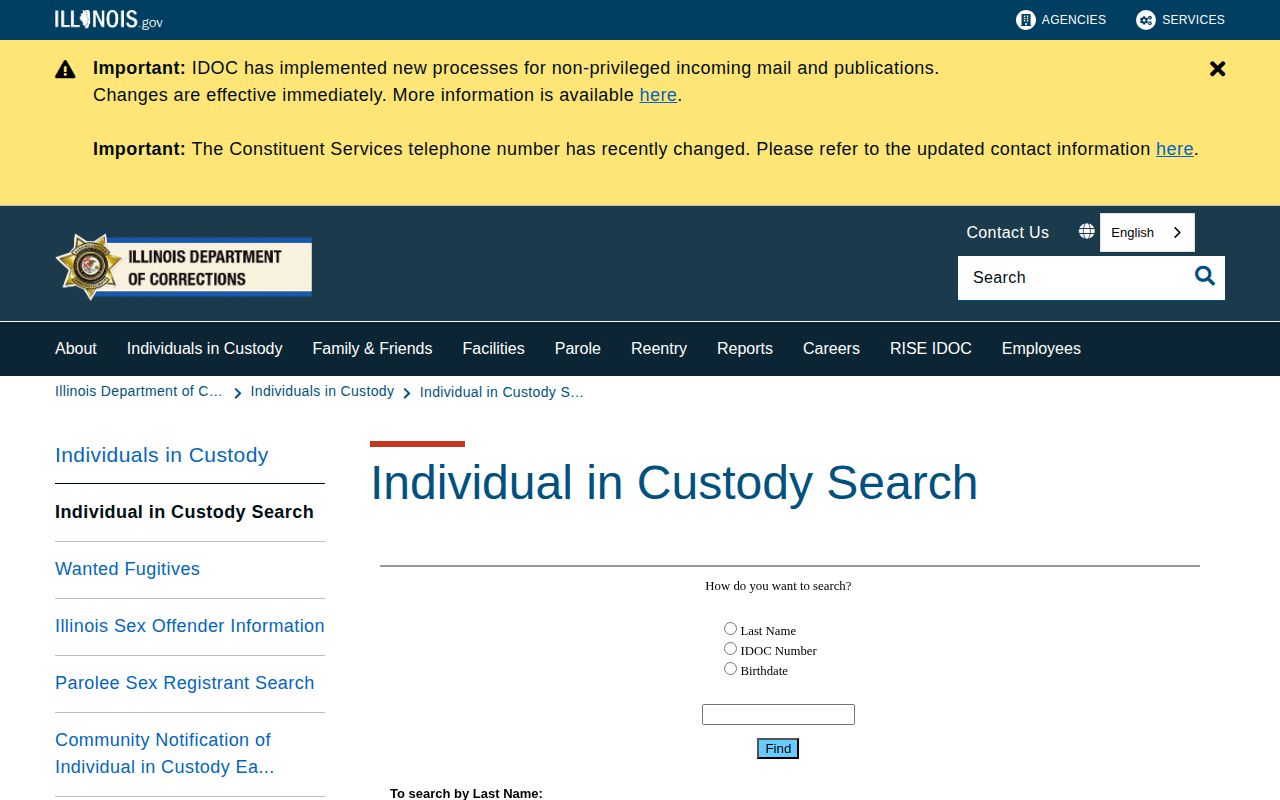
Treat the form as a starting point for a record check. Match profile details against what you know. Confirm identity with later court information before moving on.
IDOC Offender Search by Name or Number
The current form accepts a last name, an IDOC number, or a birthdate. Names can be entered surname-first, as in "Smith, John." Results shift as records change. The agency warns the system can go down for maintenance. The page may refuse to load at times. For that case, IDOC keeps a legacy Individual in Custody Search as a backup. Use the narrowest reliable detail you have. Then check the identifying fields before relying on any result.
- Open the current official IDOC search. Choose the last-name, IDOC-number, or birthdate option that matches the information in hand.
- Enter the name in the format requested by the form, or use the agency number or birthdate when known.
- Review the results list and compare the IDOC number and date of birth. Do not rely on a name alone.
- Open the profile that matches those details and read its custody status, location, and dates with the photo.
- Check any later court or release information through the proper record holder before describing the case or current status.
The form offers separate options for last name, IDOC number, or birthdate. Pick the matching one and follow its prompt. A name may be surname-first, like "Smith, John," and an IDOC number must follow the agency's format. Inputs return possible records. Read the profile fields before deciding. A result may lag behind a recent change, since profiles update after transfers, releases, or corrections, and a brief outage can hide a record for a while. Multiple results call for comparison, not a quick pick of the closest name. No result is just as ambiguous. The person may sit outside IDOC custody, the terms may not match the record, or the system may be down. It settles nothing about a county case.
Note: Record status can change, so confirm a current custody question with IDOC before relying on an older search result.
Reading the IDOC Offender Profile
An IDOC result can carry far more than a photograph. The profile may list an IDOC number, name, and date of birth. Custody status and institution may appear. Admission and release details, physical descriptors, sentencing information, county, offense, and custody dates round out the record. It may also link to a front-facing image plus a side view. Fields vary from record to record. Expect some profiles to run thinner than others.
| Profile detail | What it helps identify |
|---|---|
| IDOC number | The agency’s identifier for the state custody record. |
| Name and birthdate | Details to compare when names are alike or spelled in different ways. |
| Custody status and location | Whether the profile lists the person in custody and the institution or location shown by IDOC. |
| Admission, release, or discharge dates | Dates associated with the person’s state-custody record, when listed. |
| Physical description and marks | Descriptors such as height, appearance, and listed identifying marks. |
| Sentence, county, offense, and custody dates | Case and sentence details displayed in the profile. These still need careful reading alongside court records. |
| Frontal and side/profile image links | Agency identification photographs associated with the profile. |
Start with the photo itself. Faces change over time. The frontal and profile shots exist to help with identification. Around the picture sit the offense and sentence fields. Those fields summarize agency data. They are not a substitute for the court file on the case outcome or later changes.
Dates each tell their own story. Admission marks the day someone entered IDOC custody. A release or discharge entry closes that same state-custody period, at least as IDOC records it. Neither date speaks to other matters. It will not reveal an open case, a later arrest, or a record held by a separate county. Match carefully. Compare the agency number and the birthdate whenever both appear. Read every date on the profile. Then set the profile beside the court file before you trust the match.
IDOC produces the photo links itself, and they sit with the agency's own fields rather than coming from a third-party operator. Search results and image links shift over time, so reach records through the official search landing page. Never treat an old saved image URL as proof that a profile is current or that the person is still in custody.
IDOC Photo Updates and Former-Person Privacy
IDOC handles photos through written policy. Its current Standards for Individual in Custody Photographs treats the image as an identification record. Photographs are taken at admission. The policy calls for frontal and profile views, with each image dated and stored electronically. A new photo follows a major change in looks.
The directive orders a yearly review. That review is not the same as a new picture. Hats and sunglasses face limits, with an exception for approved religious headwear. Annual review checks the record on file. New photography is tied to admission or a real change in appearance.
Photos also happen at release or discharge. Negatives or originals stay with the facility's Bureau of Identification permanently, unless an approved offsite arrangement applies. That is an internal retention rule. It does not promise older images remain visible in public search after a person leaves custody. IDOC's media-request policy draws the public line: current in-custody photos appear through search, while former-person photos stay confidential. Access ends when custody does.
Note: IDOC’s permanent internal retention language concerns the original or negative, not an open-ended public display promise.
IDOC Mugshots Versus County Booking Photos
The right lookup depends on who held the person. County and municipal agencies handle arrest and jail intake. IDOC covers state custody after that. Federal cases and immigration detention run through a separate federal record path. Never treat one custodian's photo as a stand-in for another's file.
| Record layer | What it covers | Where to begin |
|---|---|---|
| County or municipal booking | An arrest or jail intake under local custody and disclosure rules. | Ask the arresting or booking agency, or use its official roster if one is available. |
| IDOC offender profile | State custody information and available current identification photos. | Use the official IDOC offender search. |
| Federal custody or court record | A federal detention or prosecution, separate from state prison and county jail records. | Use the federal agency or court record system that holds the file. |
Was it a recent arrest? Then start with the county or municipal agency that did the booking. The Illinois County Directory routes you to local record sources. The local custodian can confirm whether a roster or public booking image exists. State custody came later? The IDOC profile is the right state-prison check at that point.
These systems can overlap in one person's history. They still answer different questions. A county record stays relevant after the person moves to IDOC. An IDOC profile may not show the full county case file or a later court outcome. Turn to the court record for disposition. Read each custody status on its own terms.
Requesting IDOC Records Through FOIA
Some records sit outside the public search. Use the IDOC Freedom of Information Act page. FOIA is Illinois's public-record request process. IDOC routes requests to its FOIA Officer. The page lists the current mailing address, email, fax, telephone, and delivery instructions. Check the live details before sending anything, since contacts and charges can change. Put the request in writing. Include contact information and describe the item clearly enough for staff to locate it. Give the person's name and IDOC number when known, because a focused request beats a demand for a full file.
| Record sought | How to describe it |
|---|---|
| Current custody photo | Name and IDOC number, with a note that the request concerns an image linked to a current profile. |
| Profile information | The fields or dates needed, such as location, admission, release, or discharge details. |
| Release or transfer record | The type of status change and the approximate period involved. |
| Policy or institutional document | The policy title or subject and the record type being requested. |
IDOC treats two kinds of photo requests differently. One asks for a picture of someone in custody now. The other seeks an image of a former individual, and that is where the law draws a hard line. The agency's public media information calls those older photos confidential, even though IDOC keeps the originals in its own files. Describe the record precisely. A clear description helps the FOIA Officer locate it, but no wording can override the release rules. Plan around a five-working-day response window. Extensions are possible under the posted terms. Copying costs appear on the IDOC Freedom of Information Act page: the first 50 black-and-white pages are free, extra pages carry a per-page charge, and color copies or other media are priced separately. A timely response is not a full release. FOIA exemptions, privacy and safety rules, and any sealing or expungement order can each stand in the way.
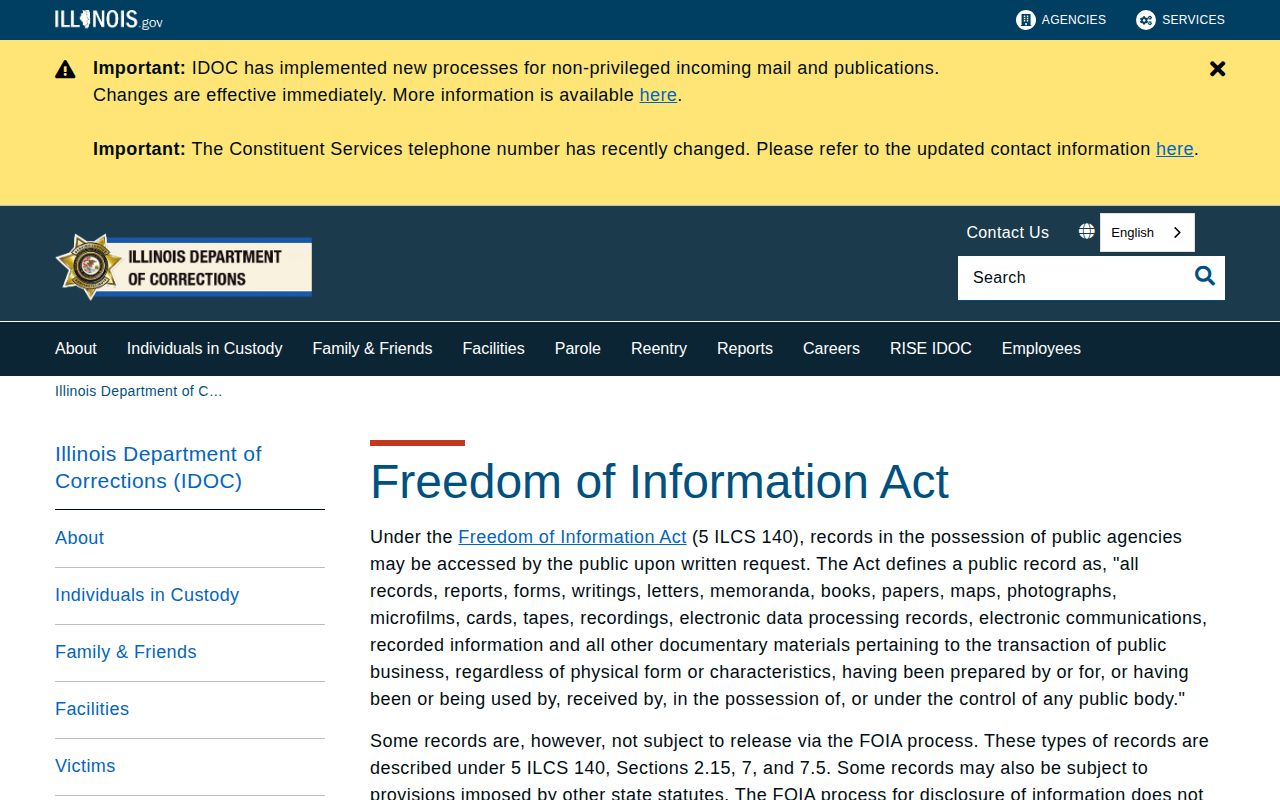
Fees, forms, and addresses change. The live agency page is the only version worth trusting, so use the link rather than a copied address or an old fee schedule.
- Choose the IDOC record or image sought, and note the person’s name, IDOC number, and relevant custody dates if known.
- Describe the request in writing and include contact details so the FOIA Officer can reply.
- Send it through one of the delivery methods listed on the current IDOC FOIA page.
- Review the response and any stated fee or exemption. Ask for clarification if the response does not address the specific record requested.
Why Former IDOC Photos Stay Private
The public search and the internal file differ. Photos of people currently in custody show up through the search, per the agency's media-request information. Photographs of former individuals are confidential under Illinois law. So a picture can sit in IDOC's internal records long after it leaves the public profile. A vanished profile proves little. It does not show the image was destroyed. Nor does it make a general media request a path to a former person's photo. The rule follows the record and the person's status. Privacy, safety, sealing, and expungement limits can all apply. Shape any request with care. Name the record you want and explain why you believe it is public. Release or discharge changes nothing by itself. Never assume an exit from custody makes an image public. If IDOC withholds a responsive record, ask the office to cite the controlling rule. When a legal order applies, send it to each relevant custodian and ask how that office treats the specific image or profile.
Important: A past IDOC profile or an internally retained image does not mean a former person’s photograph is available to the public. Use the public search for current in-custody images and check the agency’s disclosure rules for other requests.